

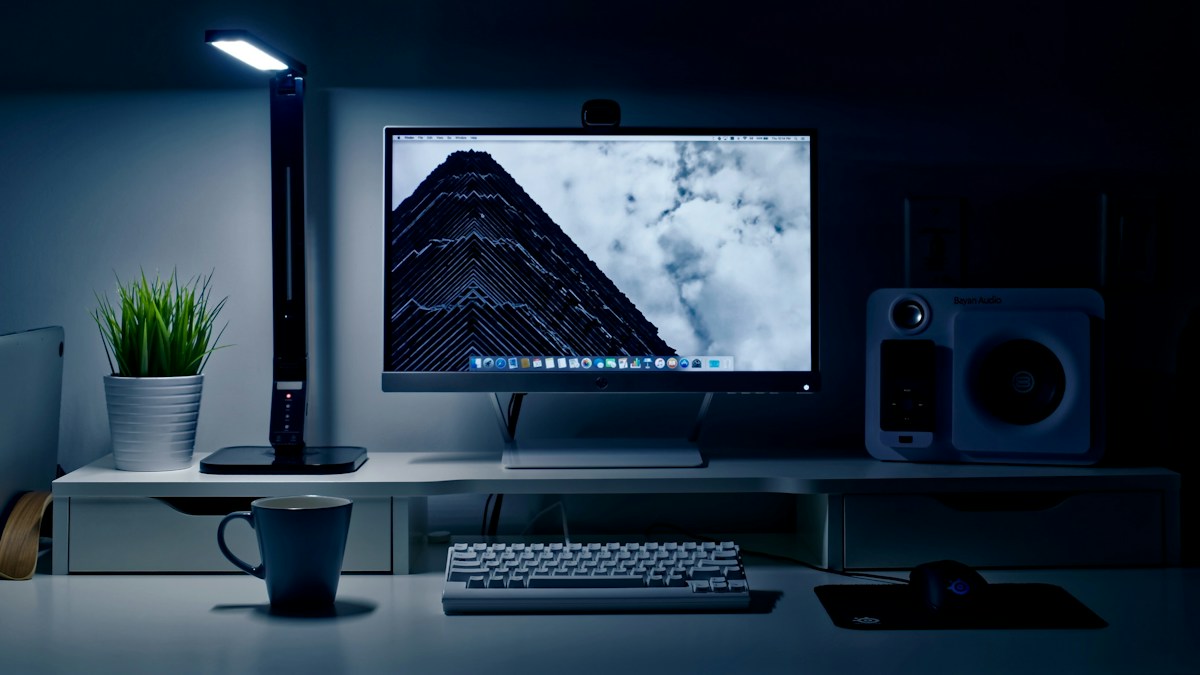
Eliminating contrast glare: Why working in a pitch-black room with a bright monitor causes headaches, and how to balance ambient light.
The “Cinema Effect” Pitfall in Desk Workstations
Many gamers and programmers enjoy working in a completely dark room illuminated only by their glowing 350-nit monitor screen. While immersive for movies, this creates severe localized contrast glare. Your eye pupil constricts when looking at the bright screen, but when your gaze shifts to your dark desk or keyboard, your pupil is forced to dilate aggressively. Doing this thousands of times a day causes asthenopia: ocular fatigue, dry eyes, and tension headaches.
The Recommended 3:1 Contrast Ratio Standard
Ergonomic lighting standards (such as IESNA and ANSI/HFES 100) dictate that the luminance contrast ratio between your primary task area (your monitor) and your immediate surrounding environment (your desk and wall) should not exceed 3:1, and never exceed 10:1. A monitor light bar illuminates your desk surface, bringing the immediate visual field into balanced harmony with screen luminance.
Integrating Subtle Bias Backlighting Behind the Monitor
To achieve optimal visual comfort, combine top-down asymmetric task lighting with subtle rear bias lighting (a soft 6500K LED strip mounted behind the monitor). The soft glow thrown against the wall behind your monitor softens the hard border between the bright screen and the room wall, making the display appear to float with reduced contrast shock.
Technical Specifications & Reference Matrix
| Lighting Element | Primary Function | Ideal Lux Range | Placement |
|---|---|---|---|
| Monitor Display Screen | Visual computing interface | 120 – 160 nits (calibrated) | 20 to 28 inches from eyes |
| Asymmetric Light Bar | Direct task lighting on keyboard/desk | 400 – 500 Lux | Clamped to top display bezel |
| Rear Bias Light Strip | Contrast smoothing against wall | Soft 10-20% ambient glow | Mounted to rear monitor chassis |
| Ambient Room Ceiling Fixture | General room navigation | 150 – 250 Lux (Dimmed) | Indirect ceiling bounce |
💡 Expert Field Recommendation
Calibrate your monitor display brightness to match the illuminated desk surface. Hold a blank white sheet of copy paper on your desk under the light bar. Adjust your monitor brightness slider until a pure white browser window matches the brightness of the physical white paper.
Diagnostic Troubleshooting Checklist
- Eyes feel strained after 2 hours despite using a light bar: Monitor brightness is likely cranked to 100%. Lower your monitor brightness from 100% to 40%-50% to match ambient desk lux.
Frequently Asked Questions
Does a monitor light bar replace the need for ceiling lights?
A light bar handles direct task lighting on your desk, but for maximum eye comfort, keep soft indirect room ambient lighting on rather than sitting in total room darkness.
Article researched and verified by Arlo Chen, dedicated technical specialist and editorial contributor.