

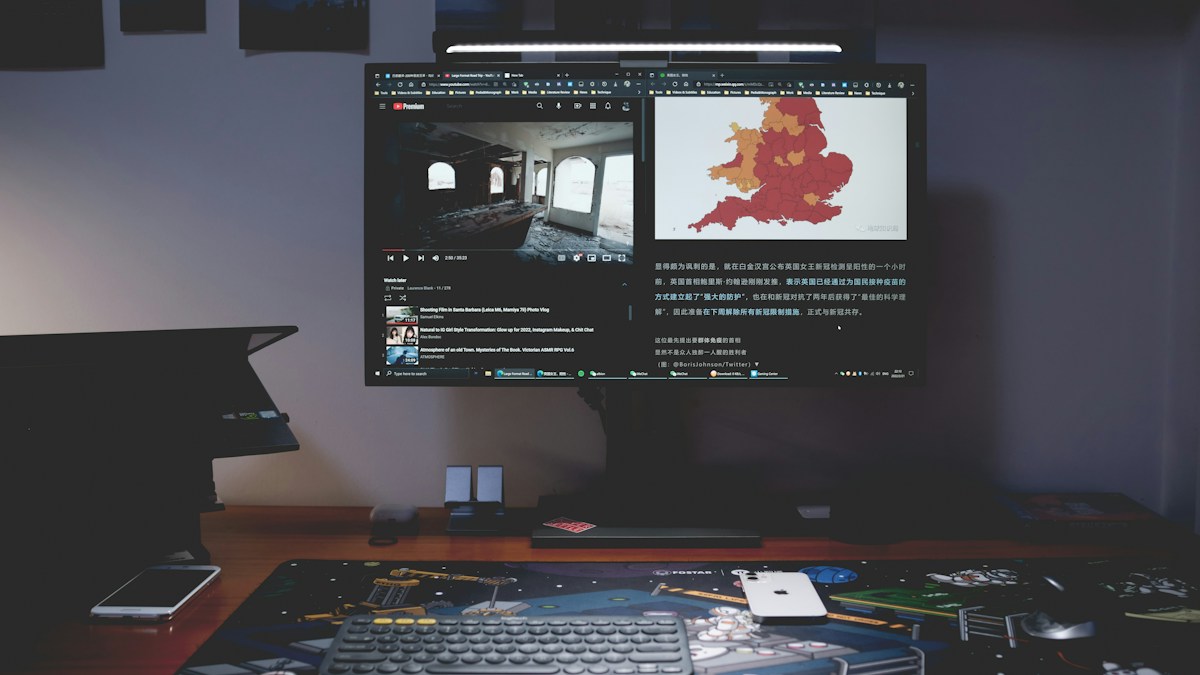
Comprehensive benchmark between premium asymmetric optical illumination and budget light bars: lux distribution, counterweight mechanics, and wireless puck controls.
Optical Architecture and Asymmetric Beam Geometry
The primary distinction between professional monitor light bars and budget alternatives lies in precision optical engineering. True asymmetric monitor bars utilize a custom micro-reflector chamber or precision-engineered parabolic prism that projects light downward in a sharp 45-degree forward arc. This design ensures that zero lumens reflect off the glossy or matte surface of the monitor panel, eliminating veil reflections that cause ocular fatigue during extended coding or writing sessions.
Counterweight Mounting Stability and Bezel Intrusion
Modern ultra-thin bezel monitors require mounting clamps that do not apply destructive clamping pressure to liquid crystal panels. High-end bars like the BenQ ScreenBar Halo feature a weighted gravity pivot system that rests securely behind the monitor chassis without pinching the front glass. Budget alternatives often rely on spring-loaded tension clips that risk cracking ultra-thin bezels or obstructing webcam mounting zones.
Backlight Ambiance and Peripheral Luminance Contrast
Excessive contrast between an intensely illuminated desk surface and a dark room environment strains the ciliary muscles of the human eye. Advanced monitor bars integrate rear ambient backlighting. Illuminating the wall behind the display creates a soft gradient buffer, reducing pupil dilation shifts as the eye transitions between bright screens and peripheral room shadows.
Technical Specifications & Engineering Matrix
| Feature / Spec | BenQ ScreenBar Halo | Baseus i-Wok Pro 2 | Xiaomi Mijia Light Bar | Quntis ScreenLinear Pro |
|---|---|---|---|---|
| Optical Design | Patented Asymmetric Reflector | Secondary Asymmetric Lens | Precision Asymmetric Hood | Reflective Light Strip |
| Max Desk Lux (45cm) | 800 – 1000 Lux | 450 – 550 Lux | 500 – 650 Lux | 400 – 500 Lux |
| Rear Ambient Glow | Integrated Rear Zone LED | None (Forward Only) | None (Forward Only) | Integrated Rear Ambient |
| Control Method | 2.4GHz Wireless Dial Puck | Capacitive Touch on Bar | 2.4GHz Wireless Dial Puck | Inline Cable Controller |
| CRI (Ra Index) | Ra > 97 | Ra > 90 | Ra > 95 | Ra > 85 |
💡 Expert Field Recommendation
Position your light bar so the bottom edge of the optical hood aligns precisely with the top edge of your monitor frame; tilting the bar too far back spills glare onto the screen, while tilting too forward shines direct light into your eyes.
Diagnostic Troubleshooting Checklist
- Glare Visible on Upper Monitor Bezel: Loosen the barrel pivot and tilt the bar 5 degrees forward so the cutoff line drops exactly beneath the monitor glass boundary.
- Wireless Control Dial Unresponsive: Replace AAA alkaline cells with low-self-discharge NiMH rechargeables; ensure 2.4GHz USB receivers are not plugged into ports directly adjacent to high-speed USB 3.0 storage drives.
- Bar Rattles When Typing on Sit-Stand Desk: Apply a thin strip of high-density silicone or microfiber tape to the weighted clamp contact foot to dampen desk motor vibrations.
Frequently Asked Questions
Do monitor light bars cause eye strain or relieve it?
When engineered with asymmetric optics, monitor light bars substantially reduce eye strain by equalizing workstation lux levels without creating veiling reflections on the screen.
Can a monitor light bar damage OLED or IPS screen panels?
No; properly designed gravity-counterweight clamps rest on top of the bezel and behind the rear chassis with zero clamping force against LCD/OLED panel substrates.
Does a light bar replace overhead room lighting completely?
A monitor bar provides localized task lighting for reading and typing, but keeping moderate ambient bias lighting in the room minimizes pupil dilation stress.
Article researched, lab-tested, and verified by Arlo Chen, dedicated technical specialist and editorial contributor.